How low can you go?
keyboardsThere are a bunch of reasons you can get into, or stay into, keyboards as a hobby. You can chase the hype train with the latest hot boards, or you can search for the perfect aesthetic combination of board and keycaps. For me, it’s the search for the perfect keyboard to actually type on – finding out what I like and iterating on that until I have something that’s just right for me. In practice, this means buying something that looks good, trying it, finding that there is something not quite right, or not quite for me, and using that knowledge to move on to the next thing.
What I have learned about myself is I like split keyboards, and I like my split keyboards to be minimalist, but not too minimalist. A corne split is just the right size for me, but a five-column corne is too small; it needs to be six column.1 Luckily there are plenty of good six column cornes out on the market, even if you aren’t up to soldering (I’m a big fan of the Boardsource version, but they’re expensive and often out of stock, so YMMV).
Part of a keyboard being minimalist is how tall it is. I’m sure there is some research around the ergonomics of this, and I suspect flatter is not better, but personally I like my split keyboards low and flat.
The platonic ideal of the low and flat split keyboard is a corne with low profile choc switches and low profile choc keycaps. Once you factor in the PCB and the plate and the switches and keycaps, you might get as low as 15mm off the table. The problem is that choc switches have a lot of compromise as far as typing feel goes, and even the “good” ones aren’t very good.2
With low profile choc switches you are severely limited in the range of switches and keycaps you can buy, and for some of us at least, the variety is why we got into the hobby.3
If you really want to enjoy the variety that is modern keyboard switches, you really need to go for an MX board. MX switches are a standard shape (mostly), so there is a limit as to how low an MX board is going to be. It’s mostly going to be down to your keycaps, all other things being equal.
Most standard keycap sets (typical GMK sets, for example) won’t fit a split keyboard, because you need 1U keycaps for things like tab, shift, return, etc. Generally you’ll need to get a set that is specifically designed for small keyboards (which often use terms like 40s or Ergo), or get add-on sets of keycaps to cover the additional keys. Neither of these things might be available for the set you want, so you’re already somewhat limited in options here.
Even if they do cover all the keys you need with the size you need, most MX keycap profiles have slightly differently shaped keys for different rows. My typical layout uses Escape on the bottom row of keys, but most keycap sets expect Escape to be in the top left, so if you have a profile that has different shaped keys for your top and bottom row, then some of the keys will just look a bit wrong (whether or not you can live with this is a matter of your own personality; personally, I can’t).
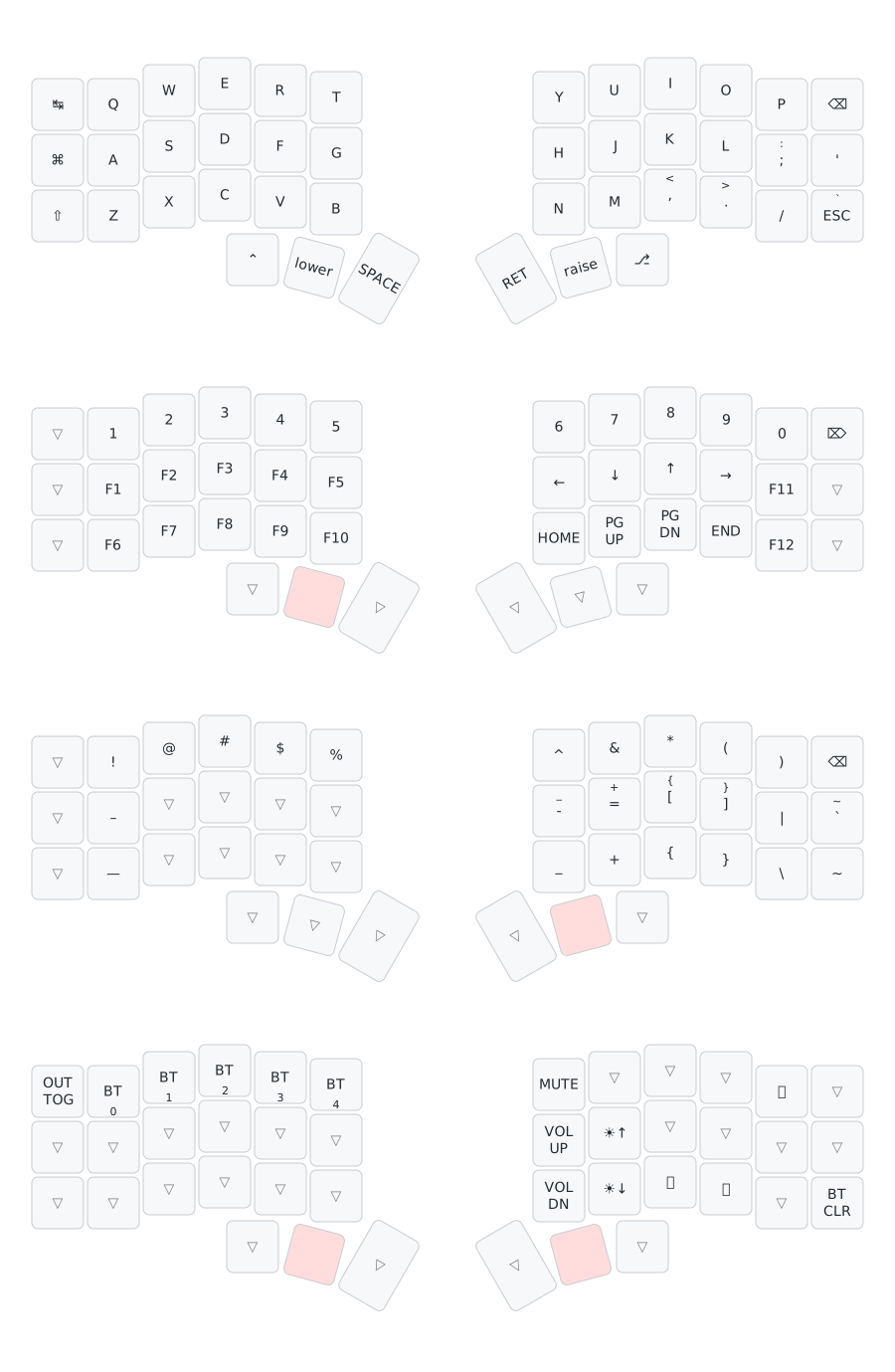
Keycap profiles where each row is the same shape work particularly well with split keyboards for the above reasons. And generally the uniform profile keycaps tend to be on the lower side, so again a win for a low profile keyboard. Profiles I have found work well are KAM (which is reasonably common) and PBS and SLK (which are not at all common, which is a shame because PBS keycaps, in particular, are awesome). SLK, of which there seems to be exactly one set that has even been produced, is particularly interesting in this context because the base of the keycap sits below where MX keys actually end – it’s deeper on the switch stem, which makes the whole keycap sit lower. This works well for keyboards where the entire top of the switch is exposed, which is common in split keyboards.
Having a nice low profile keycap with MX switches doesn’t really get you anywhere near as low as a choc with low profile switches, and also nowhere near an Apple Magic Keyboard, for example, but the trade-off is you get to enjoy the weird and wacky world of MX switches (my most recent board is resplendent with Matcha Reserve linear switches).
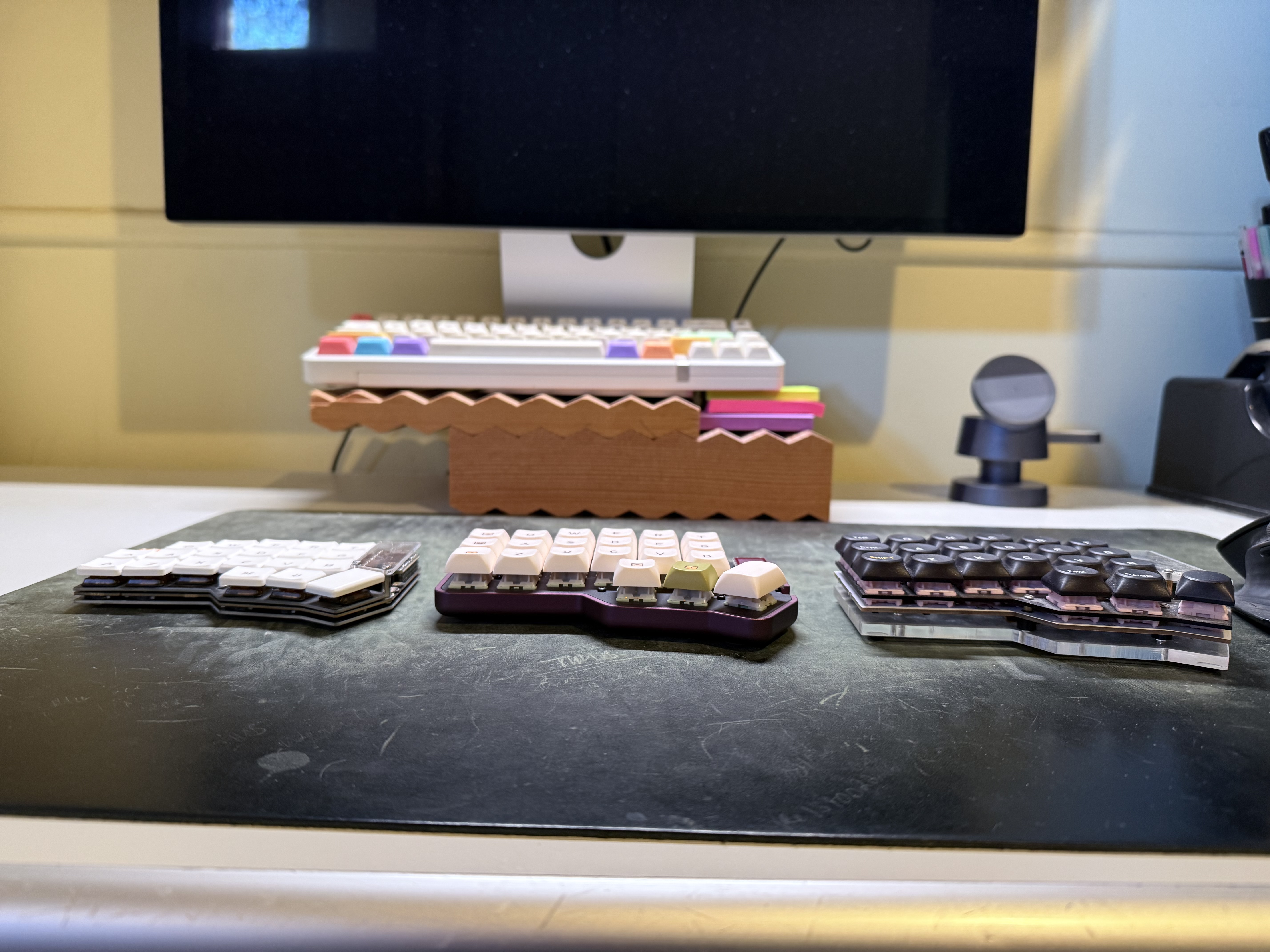
The photo above is a rough comparison of keyboard height (obviously the bases are quite different heights, but that’s what I had), with the choc low profile on the left, PBS Modern Abacus on a Boardsource Unicorne in the middle, and SLK Dessau on the right (build from ErgoMech).
For me, PBS on the Unicorne is about ideal – any lower and you’d struggle to fit a battery in. The newish Gateron low profile switches might also be something to explore in the future, but like choc they’re still very limited in “flavour”.
-
A lot of the more hardcore split keyboard users are into “home row mods”, where your modifier keys are on keys like S, D, F. and G. That is a bit too deep in the weeds for me. I think you probably need to be using something like home row mods to get away with a five-column split, where you’re losing pretty much everything that isn’t a letter key. ↩︎
-
Okay, the ones I’ve tried – maybe there are some good ones out there, but I haven’t come across them. On one board I have Sunset Tactile Choc Switches, which are supposed to be good, and even they don’t compare to decent MX switches. ↩︎
-
Choc switches are a little smaller than MX switches and have a different pin-out, so you tend to need to commit to one or the other when you’re buying a board. I have seen PCBs with both MX and choc hotswap sockets, but I imagine you’ll have a bit of a gap between your keycaps if you have choc keys at MX spacing, which this would require. ↩︎